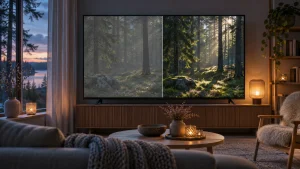
Don’t start by cranking up all the picture controls. When a movie looks too dark, you first need to figure out if the problem is with the program, app, or TV itself. Next, check if the video is playing in SDR or HDR. A higher brightness value doesn’t always mean more visible detail.
This guide will help you make a calm comparison at home, without buying new equipment outright. The advice applies to the brightness and contrast of the picture, not the installation of channel lists or selection of subscriptions. Menu names vary between brands, models and software versions.
SDR stands for standard dynamic range and HDR stands for high dynamic range. HDR can reproduce a wider range of brightness and contrast than SDR when the content and equipment support the format. However, HDR is not a guarantee that every scene, face, or background will look brighter.
Also, distinguish between resolution and dynamic range. Just because a title is displayed as 4K does not necessarily mean it is playing in HDR. Look for format information for the current playback in the app or TV info box, if available. A label on a title’s info page alone does not necessarily prove which format your particular playback chain delivers.
Choose a scene with both shadows and highlights, such as a face in a room with a window. Write down the time position and return to the same moment after each change. If you change film at the same time as you change the picture mode, it will be difficult to understand what actually made the difference.
Take a photo of your current settings. It’s an easy way to go back without having to reset the entire device. Then choose two or three clear control points in the image: a dark jacket, a face, and a bright lamp. The goal is to see detail without the blacks turning gray or the light areas losing texture.
Ideally, make the comparison at the same time and from the same seat. In a Swedish living room, the conditions can differ significantly between daylight and evening lighting. The important thing is not a universal setting for all homes, but a test that can be repeated in your own home.
| What you see | Reasonable next test |
|---|---|
| Only one movie looks dark | Compare several scenes and a different title before changing the TV in general. |
| Several HDR titles look dark, but SDR works | Check the current HDR picture mode and the player’s format output. |
| All apps and even menus look dark | Check your TV’s lighting-related settings and your model’s user manual. |
| The problem only exists with the external player | Jämför spelarens videoformat med uppspelning i TV:ns egen app. |
Tabellen är en felsökningsordning, inte en säker diagnos. Två olika appar kan exempelvis använda olika uppspelningsvägar. En skillnad mellan dem pekar ut var du kan undersöka vidare, men bevisar inte ensam att någon apparat är trasig.
Öppna bildinställningarna medan den mörka videon faktiskt spelas. Notera vilket bildläge som är aktivt. Prova ett annat tillgängligt läge och jämför samma kontrollpunkter igen. Undvik att samtidigt ändra färg, kontrast, skärpa och ljus, eftersom du då förlorar jämförelsen.
Vissa TV-modeller använder ljussensorer för att anpassa bilden efter rummet. Om din modell har en sådan funktion kan du tillfälligt jämföra med den avstängd. Låt inte testet automatiskt bli en permanent rekommendation: välj det alternativ som fungerar i ditt rum och följ modellens instruktioner.
Kontrollera vad ett reglage faktiskt gör innan du flyttar det. Ett liknande namn kan avse olika funktioner på olika apparater. Om en ändring får svart att se grått ut utan att jackans veck blir tydligare har du inte nödvändigtvis löst problemet. Återgå då till utgångsläget och prova nästa kontroll.
På vissa modeller finns även HDR-tonmappning som anpassar HDR-material till skärmens återgivning. Använd i så fall bruksanvisningens beskrivning av just den funktionen. Kopiera inte numeriska värden från en annan TV-modell och anta att de ger samma resultat.
På Apple TV 4K finns funktionen Matcha dynamiskt omfång under Inställningar > Video och ljud > Matcha innehåll. Den är till för att anpassa utmatningen till innehållets ursprungliga dynamiska omfång. Kontrollera inställningen när du undersöker skillnaden mellan SDR och HDR, snarare än att utgå från att allt ska visas i samma format.
Vid ett formatbyte kan bilden tillfälligt bli svart eller blinka. Det är inte samma sak som att filmen ligger kvar med för mörk bild. Om ett format inte kan bekräftas finns också möjlighet att kontrollera obekräftade format i Apples meny. Följ anvisningarna på skärmen och avbryt ett test som inte ger korrekt bild.
Behöver du hitta rätt startpunkt för enheten finns sajtens instruktioner för Apple TV. Guiden här gäller däremot bildåtergivning, inte val av spelapp.
Om problemet kvarstår, samla TV-modell, extern spelares modell, appnamn, programversion och en exakt tidsposition i en berörd titel. Notera också om felet gäller SDR, HDR eller båda, samt resultatet från jämförelsen med TV:ns egen app. Då blir ärendet mer konkret än att bara skriva att bilden är dålig.
For an overview of apps and compatibility, read our guide to streaming on Smart TV . Start with the checks above before concluding that you need a new TV or a different subscription. A reproducible test is more useful than many simultaneous changes.
The menu is not a reliable reference for the lighting or dynamic range of the film. Instead, compare several scenes and check the format and picture mode used during playback.
No. Use SDR as a comparison test first if your equipment and app allow it. Then investigate format matching and picture mode before choosing a permanent solution.
Don’t assume that when the problem is just brightness and contrast. If playback simultaneously stops or has clear quality changes, you need to investigate that as a separate symptom.
Yes, on models with automatic light adjustment, room lighting can affect the image. Compare the function on and off under the same conditions and check the model’s manual.
There is no single number that fits all TVs and rooms. Change one slider at a time and assess both shadow detail and highlight areas in the same scene.

I’m Johan Bergman, a digital media writer focused on streaming technology, smart devices, and modern entertainment. I create clear, reliable, and practical content that helps readers make informed viewing choices.